AI STL Generator for 3D Printing
Write what you want to print. Image Studio draws it, the studio turns it into a solid mesh, and one click repairs it into a watertight STL. The prompt step needs Pro.
- Prompt → picture → STL
- Watertight repair in one click
- Multi-color 3MF for Bambu AMS
By SupaVoxel Team·Updated
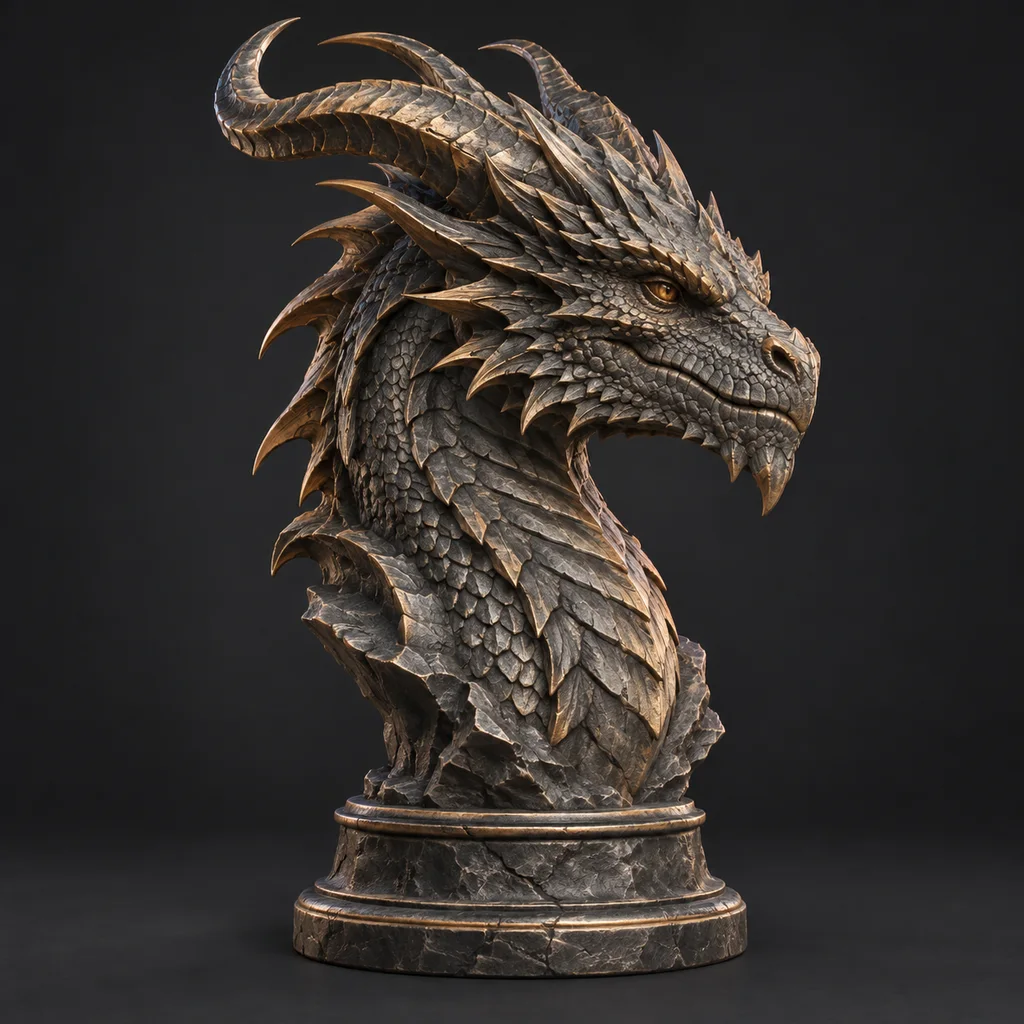
Describe it, get a 3D model
Text → image: Pro plan · Image → 3D: 3 free credits
How the AI STL generator goes from text to STL
Two generation steps and one repair. The picture in the middle is your chance to fix the design before it costs a 3D credit.
- 01
Describe a printable object
Type up to 300 characters and press Generate. You land in Image Studio (Pro plan and higher) with your prompt filled in. Ask for up to 4 drafts; each batch usually takes about a minute. Pick the one with a sturdy pose and a clear outline. - 02
Turn the picture into a mesh
In the studio, choose the picture from your library and generate geometry only: 1 credit, usually under a minute. A one-color print can't use a texture, so don't pay for one unless you plan a multi-color 3MF. - 03
Repair and export the STL
Run the one-click repair to close holes and fix flipped faces, then download STL (paid plans). Scale it in your slicer, add supports where it overhangs, and print.
Prints made with the AI STL generator
Each model started as a prompt. Click a card to load the real 3D file and inspect it from every side before you think about supports.
Prompts that make an AI 3D print generator work
Write for the printer, not for the screen. A pose that looks great in a render can be a nightmare of supports.
- Ask for a flat base or a plinth: "standing on a round base"
- Keep limbs and props close: "arms at its sides", "wings folded"
- Say "chunky", "stylized" or "vinyl toy" for thick, robust shapes
- Name one object, a three-quarter view and a plain background
- Mention the use: "bookend", "planter", "desk organizer"
- Ask for outstretched arms, thin swords or long antennas
- Request exact dimensions; the model has no units
- Expect threads, hinges, snap fits or screw holes to work
- Describe scenes; you'll get a diorama, not an object
- Spend 3 credits on texture for a single-color print
What prints well from a text prompt
This STL generator makes sculptures. This is where that's a strength and where you need CAD.
Figurines, busts, mascots
- Works?
- Yes
- Why
- Organic shapes are what the engines learned from
Planters, vases, bowls
- Works?
- Yes
- Why
- Mostly symmetric, so the hidden side is easy to predict
Tabletop terrain and props
- Works?
- Yes
- Why
- Rocks, ruins and barrels forgive small errors
Ornaments and desk toys
- Works?
- Yes
- Why
- Small, chunky and decorative
Miniatures for games
- Works?
- Yes, on resin
- Why
- See the miniature generator for scale and bases
Brackets, enclosures, spare parts
- Works?
- No
- Why
- Dimensions and fit can't be specified; use CAD
Text, logos, signs
- Works?
- Use a dedicated tool
- Why
- 3D text STL and SVG to STL are exact
| Object | Works? | Why |
|---|---|---|
| Figurines, busts, mascots | Yes | Organic shapes are what the engines learned from |
| Planters, vases, bowls | Yes | Mostly symmetric, so the hidden side is easy to predict |
| Tabletop terrain and props | Yes | Rocks, ruins and barrels forgive small errors |
| Ornaments and desk toys | Yes | Small, chunky and decorative |
| Miniatures for games | Yes, on resin | See the miniature generator for scale and bases |
| Brackets, enclosures, spare parts | No | Dimensions and fit can't be specified; use CAD |
| Text, logos, signs | Use a dedicated tool | 3D text STL and SVG to STL are exact |
From generated STL to a clean print
Treat the file like any model you downloaded. Open it in the free STL viewer to check for thin parts. For FDM with a 0.4 mm nozzle, print figures 8 to 15 cm tall at 0.12 to 0.16 mm layers, 3 walls and 10 to 15% infill, with tree supports under chins and tails. Resin printers handle 3 to 6 cm at 0.05 mm; hollow the model and add drain holes.
If a model is taller than your build plate, cut it into parts with alignment pins with the free STL splitter. To stand a figure up, add a base.
- Geometry only, repaired, exported as STL
- Scale in the slicer; the file has no real units
- Tree supports for organic overhangs
- Multi-color: export a 3MF instead of STL
Generate an STL or download one?
Model libraries like Printables, Thingiverse and MakerWorld hold millions of free, already test-printed files. If someone has made the thing you want, download it: you get a design that has been printed, rated and often tuned for supports.
Generating makes sense when the thing doesn't exist yet. Your D&D character, a mascot for a club, a planter shaped like your dog, a one-off gift with a specific look. It also makes sense when you want variations: ten versions of a dragon to pick from cost a few minutes and a few credits, not ten evenings in Blender.
The tradeoff is that a generated file has never been printed before you. Plan for one test print at a small size, check thin parts and overhangs, and adjust the prompt or the scale before you commit a long print.
Is there a free AI STL generator?
Partly, and it's worth being precise. The text step uses Image Studio, which is part of the Pro plan and higher. The 3D step starts free: a new account gets 3 credits, an untextured model costs 1, and free accounts download GLB. If you already have a picture, from your own drawing, a photo or any image you have the rights to, upload it on image to STL and skip the paid text step.
Without a paid plan, the GLB can still become a printable file: convert it in your browser with the free GLB to STL converter, then run STL repair if the slicer flags errors. No account needed for either.
On paid plans, which start at $25 a year for 400 credits, you get direct STL, OBJ and 3MF export, textured models and a commercial license for selling prints. Failed generations refund their credits automatically.
Related tools for printing
Other ways to start a print, and the free tools around it.
Frequently asked questions
Can AI make an STL file from text?
Is the AI STL generator free?
Are the STL files watertight?
Can it make functional parts?
What size and settings should I print at?
Can I print the model in several colors?
How long does it take from prompt to STL?
Can I sell what I print?
Keep going
Try the AI STL generator
Describe it, pick the picture, repair the mesh and send the STL to your slicer.
No credit card required · 3 free credits to start