VRChat Avatar Maker for the Model, Not the Rig
This VRChat avatar maker turns a character drawing into a textured mesh in 3 to 5 minutes. You rig it in Blender or Mixamo and upload with the VRChat SDK.
- Textured mesh in 3–5 minutes
- Rig in Blender or Mixamo
- Unity 2022.3.22f1 + VRChat SDK
- 3 free credits
By SupaVoxel Team·Updated
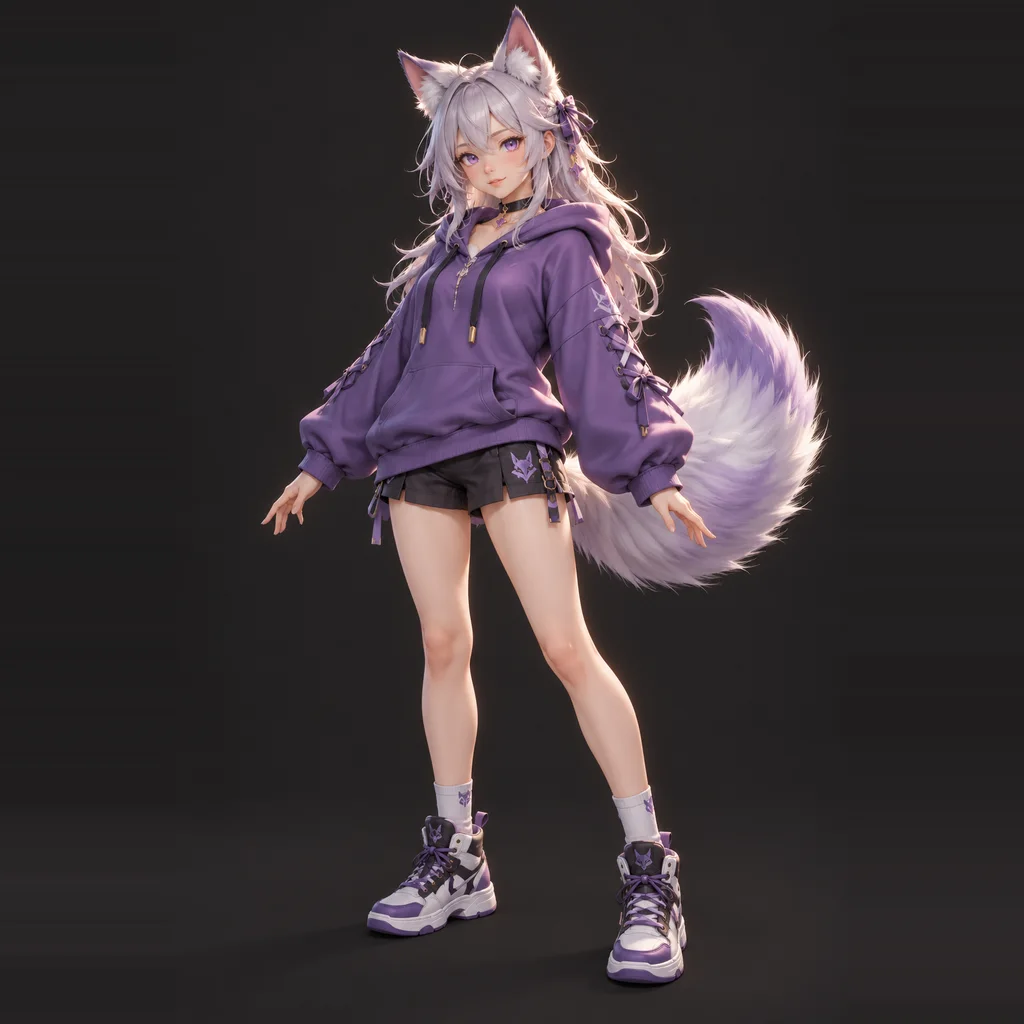
Drop in a picture, get a 3D model
3 free credits · Google sign-in · no card
Who this VRChat avatar maker is for
Making a VRChat avatar from scratch combines three skills: modeling, rigging and texturing. It can be the start of a long journey. Most people buy a base and customize it. That works until you want a character nobody sells: your OC, your mascot, your fursona, a creature from your own drawing.
SupaVoxel takes the modeling and texturing step off your plate. Give it one clear picture of the character, ideally a full-body front or three-quarter view, and it returns a textured 3D mesh. You still rig it, set it up in Unity and upload it, but you start from your own character instead of a box.
It is a good fit for stylized and chibi characters, mascots, creatures and props you carry. It is a weaker fit for realistic humans with detailed hands and faces, and it does not produce blend shapes for visemes or eye tracking. If you only need a simple avatar without Unity, there are avatar creation tools that skip the SDK.
How to make a VRChat avatar from a picture
Seven steps from drawing to upload. The VRChat avatar maker part is steps 1 and 2; steps 3 to 7 happen outside SupaVoxel.
- 01
Prepare a full-body picture
Character standing, arms slightly away from the body, legs apart, full body in frame, plain background. A T or A pose reference sheet works best because the rigger can find the limbs. - 02
Generate the textured model
Textured generation costs 3 credits on a paid plan and typically takes 3 to 5 minutes. Add up to 4 extra angles, such as a back view from your reference sheet, so the back isn't guessed. Download the GLB. - 03
Reduce the triangle count
Import the GLB in Blender and add a Decimate modifier (Collapse). A ratio of 0.06 takes a 500,000-triangle generation to about 30,000, under the PC Excellent limit. - 04
Rig it
Export FBX from Blender and upload it to Mixamo for an automatic humanoid rig, or rig it in Blender with Rigify. Our Mixamo guide walks through it. - 05
Set up Unity
Install Unity 2022.3.22f1 and the VRChat SDK through the VRChat Creator Companion. Import the rigged FBX and set its Rig type to Humanoid. - 06
Add the avatar descriptor
Add a VRC Avatar Descriptor, set the view position at eye level and check the SDK's build panel for rig and performance warnings. - 07
Build and upload
Test locally first, then upload. Uploading needs a VRChat account with the New User trust rank or higher.
Avatar base meshes from a single picture
Each model below came from one image and has not been rigged yet. Click a card to rotate it.
VRChat performance ranks: the limits that matter for a generated avatar
VRChat Performance Ranks as of October 2026. Exceed a value and the avatar drops to the next rank.
Triangles
- PC Excellent
- 32,000
- PC Good
- 70,000
- Mobile Excellent
- 7,500
- Mobile Good
- 10,000
- Mobile Medium
- 15,000
Texture memory
- PC Excellent
- 40 MB
- PC Good
- 75 MB
- Mobile Excellent
- 10 MB
- Mobile Good
- 18 MB
- Mobile Medium
- 25 MB
Skinned meshes
- PC Excellent
- 1
- PC Good
- 2
- Mobile Excellent
- 1
- Mobile Good
- 1
- Mobile Medium
- 2
Material slots
- PC Excellent
- 4
- PC Good
- 8
- Mobile Excellent
- 1
- Mobile Good
- 1
- Mobile Medium
- 2
Bones
- PC Excellent
- 75
- PC Good
- 150
- Mobile Excellent
- 75
- Mobile Good
- 90
- Mobile Medium
- 150
| Stat | PC Excellent | PC Good | Mobile Excellent | Mobile Good | Mobile Medium |
|---|---|---|---|---|---|
| Triangles | 32,000 | 70,000 | 7,500 | 10,000 | 15,000 |
| Texture memory | 40 MB | 75 MB | 10 MB | 18 MB | 25 MB |
| Skinned meshes | 1 | 2 | 1 | 1 | 2 |
| Material slots | 4 | 8 | 1 | 1 | 2 |
| Bones | 75 | 150 | 75 | 90 | 150 |
On mobile (Android, iOS and Quest), the default minimum displayed rank is Medium, so Poor and Very Poor avatars are hidden from other players by default. VRChat's own advice: aim for Good, Medium is fine.
Fitting a generated model into VRChat's budget
AI meshes are dense. The showcase models on our homepage measure about 500,000 triangles with three 2048 × 2048 texture maps and one material. That last part helps: a single material and a single mesh are exactly what the Excellent rank wants. The triangle count is the work.
For PC, decimate to about 30,000 triangles. For Quest and phones, aim for under 10,000 for Good, and shrink textures to 1024 so texture memory stays inside the mobile budget. VRChat also caps file size: 10 MB download and 40 MB uncompressed on Android, 200 MB and 500 MB on PC.
- PC Excellent: under 32,000 triangles
- Mobile Good: under 10,000 triangles
- One mesh, one material from the generator
- Textures at 1024 for Quest builds
Rigging: the step this VRChat avatar creator leaves to you
SupaVoxel gives you a static mesh with no skeleton. VRChat needs a Humanoid rig in Unity, with specific requirements: head, hands and feet mapped, and hips, spine, chest, neck and shoulders in the right hierarchy.
Mixamo is the fastest route for humanoid characters. It accepts FBX, OBJ or a ZIP, and its auto-rigger only works on bipedal humanoids with a clear head, body, arms and legs, without big wings, tails or extra limbs. Creatures and heavy outfits usually need a manual rig in Blender. Either way, you then fix the bone hierarchy in Unity's Humanoid configuration.
- Arms out and legs apart in the source picture
- Mixamo for humanoids, Blender for creatures
- Map hips, spine, chest, neck and head in Unity
- Visemes and eye blinks need blend shapes you add yourself
Tips to make VRChat avatar models that rig cleanly
- Use a T or A pose character sheet as the picture
- Keep hair and clothing close to the body
- Decimate before rigging, not after
- Test with Build & Test before uploading
- Make a separate, lighter version for Quest
- Use a pose with crossed arms or hands in pockets
- Expect fingers to rig well on a small chibi model
- Upload the raw 500,000-triangle mesh
- Use characters you don't own for a public avatar
- Disable Mesh Read/Write; VRChat ranks the avatar Very Poor
VRChat avatar maker costs and limits
New accounts get 3 free credits, and an untextured model costs 1 credit with a GLB download. A full-color avatar needs the textured model (3 credits) on a paid plan, from $25 a year for 400 credits. The commercial license on paid plans covers avatars you sell, if you own the rights to the picture.
SupaVoxel does not rig, animate, add blend shapes or export FBX. Those steps happen in Blender, Mixamo and Unity. Our free GLB to FBX converter is handy for getting the mesh into Mixamo, and the FBX viewer lets you check the rigged file before Unity. For Unity setup, see the Unity page, and for a faceted Quest-friendly style, the low poly page.
Related avatar and engine workflows
Frequently asked questions
Can SupaVoxel make a complete VRChat avatar?
Is this VRChat avatar maker free?
How many triangles can a VRChat avatar have?
How do I make VRChat avatar rigs for a generated model?
Does it work for Quest avatars?
Why can't I upload my avatar?
Can I sell avatars I make this way?
What picture works best in a VRChat avatar maker?
Keep going
Start your avatar with the mesh
Use SupaVoxel as the VRChat avatar maker for your mesh: upload a character picture, get a textured model in a few minutes, then rig and upload it with the VRChat SDK.
No credit card required · 3 free credits to start