AI Miniature Generator for Tabletop Games
Upload your character or monster art and the miniature generator builds a full 3D figure. Add a base, repair it and print it for your next session. 3 credits are free.
- From character art or a sketch
- Stand-base generator
- STL for resin and FDM
By SupaVoxel Team·Updated
Drop in a picture, get a 3D model
3 free credits · Google sign-in · no card
How to use the miniature generator in three steps
From the portrait on your character sheet to a primed figure on the table, in three steps.
- 01
Upload full-body character art
Use a drawing, a commission, a picture from an image generator you have rights to, or your own sketch. Full body, feet visible, three-quarter view. PNG, JPG, WebP or HEIC up to 10 MB. The background is removed automatically. - 02
Generate and add a base
Run geometry only (1 credit, usually under a minute); paint does the coloring on a mini, so you rarely need texture. Rotate it to check the back, then use the stand-base generator in the studio, or the free add base to STL tool, to stand it on a round base. - 03
Repair, export and print
Repair to a watertight solid in one click and export STL on a paid plan. Scale it in your slicer so a human-sized character is about 28 to 32 mm tall to the eyes, support it, and print. Prime, paint and roll initiative.
Miniatures made with the miniature generator
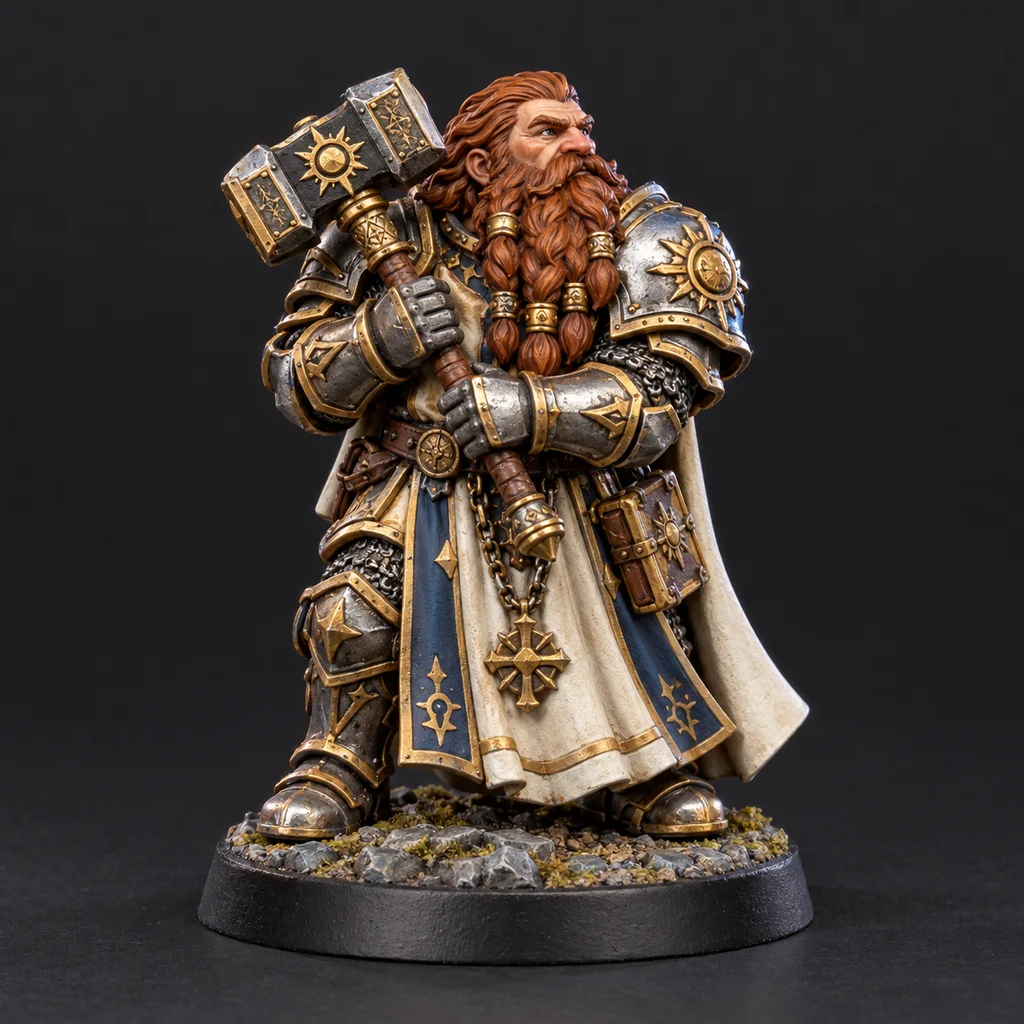
Heroes and monsters that started as a single picture. Click a card to load the 3D file and check the pose from every side.
Tabletop miniatures: scale and base sizes
D&D 5e uses a 1-inch grid where a Medium creature fills one 5-foot square. These are the common conventions for printing to match.
Small
- Grid space
- 1 square
- Typical base
- 20 or 25 mm round
- Example
- Halfling, goblin, kobold
Medium
- Grid space
- 1 square
- Typical base
- 25 mm round
- Example
- Human, dwarf, elf, orc
Large
- Grid space
- 2 × 2 squares
- Typical base
- 50 mm round
- Example
- Owlbear, ogre, horse
Huge
- Grid space
- 3 × 3 squares
- Typical base
- 75 mm round
- Example
- Young dragon, giant
Gargantuan
- Grid space
- 4 × 4 squares or more
- Typical base
- 100 mm round and up
- Example
- Ancient dragon, kraken
| Creature size | Grid space | Typical base | Example |
|---|---|---|---|
| Small | 1 square | 20 or 25 mm round | Halfling, goblin, kobold |
| Medium | 1 square | 25 mm round | Human, dwarf, elf, orc |
| Large | 2 × 2 squares | 50 mm round | Owlbear, ogre, horse |
| Huge | 3 × 3 squares | 75 mm round | Young dragon, giant |
| Gargantuan | 4 × 4 squares or more | 100 mm round and up | Ancient dragon, kraken |
Heroic 28 mm and 32 mm scales measure a human roughly from the feet to the eyes. Wargames such as Warhammer use their own base sizes; see custom Warhammer miniatures.
Printing a 28 mm mini from the miniature generator
Miniatures are where resin printers shine. At 0.05 mm layers with standard gray resin, an AI mini keeps faces, belt buckles and folds of cloth that FDM simply can't resolve at this size. Tilt the figure 30 to 45 degrees, support it from the back so the face stays clean, and wash and cure it before priming.
FDM works for bigger creatures and for terrain. For a Medium mini on a 0.4 mm nozzle, expect a toy-like result; a 0.2 mm nozzle at 0.08 mm layers gets much closer. For resin-specific settings, read the resin miniatures guide.
- Resin: 0.05 mm layers, 30 to 45 degree tilt, light supports
- FDM: 0.2 mm nozzle for Medium minis, 0.4 mm for Large and up
- Print a test at 28 mm before committing a whole party
- Hollowing isn't needed for minis this small
Character art that makes a good AI miniature
The miniature generator copies the pose from your picture, and the pose decides whether the mini survives the table.
- Show the whole figure, feet included, from a slight angle
- Keep weapons and staffs close to the body
- Prefer a solid, grounded stance over a mid-air leap
- Exaggerate heads, hands and weapons a little, like commercial minis do
- Make one picture per character; generate the party one by one
- Use bust portraits; the AI will invent the legs
- Leave spears, bows and blades pencil-thin and sticking out from the body; thicken them or keep them close in
- Expect flowing hair, capes in the wind or smoke effects to print
- Use art of official or licensed characters for minis you sell
- Upload a party lineup; separate figures merge into one block
What the AI miniature maker gives you
Everything the miniature generator handles between a picture and a primed figure, in one place.
A full figure from one view
Stand bases
Watertight repair
Split big monsters
Painted look on request
Variants in minutes
What to expect from a miniature generator
Commercial sculptors design minis for printing: weapons thickened, heads enlarged, undercuts avoided. An AI-generated figure starts from your picture instead, so its proportions are only as mini-friendly as the art. Plan for thin parts like bowstrings, sword blades and fingers to be fragile below 32 mm, and either thicken them in your art or print slightly larger.
The back is predicted from what's typical for the character type. A cape or quiver usually appears; a specific emblem on the back will not unless you add an extra view of it. The engines don't do text or fine engravings at this size.
Cost-wise, a free account's 3 credits on the miniature generator make three untextured minis, downloaded as GLB, which you can convert with the free GLB to STL converter. A paid plan from $25 a year gives 400 credits, enough for a campaign's worth of NPCs, plus direct STL export and the commercial license for selling prints of your own designs. Prefer starting from a description? Use the AI STL generator or text to 3D.
More for tabletop players
More than a DnD miniature maker: related pages for wargames, bases and printing.
Frequently asked questions
Is the miniature generator free?
Can I make a custom DnD miniature from my character art?
What scale should I print D&D minis at?
Can I print the miniatures on an FDM printer?
How long does the miniature generator take?
Does the AI miniature maker add a base?
Can I sell miniatures I make?
Why did my miniature's weapon come out thin or broken?
Keep going
Make your party's minis tonight
Upload your character art to the miniature generator, add a base and print it for the next session. 3 free credits.
No credit card required · 3 free credits to start