Anime 3D Model from Your Own Character Art
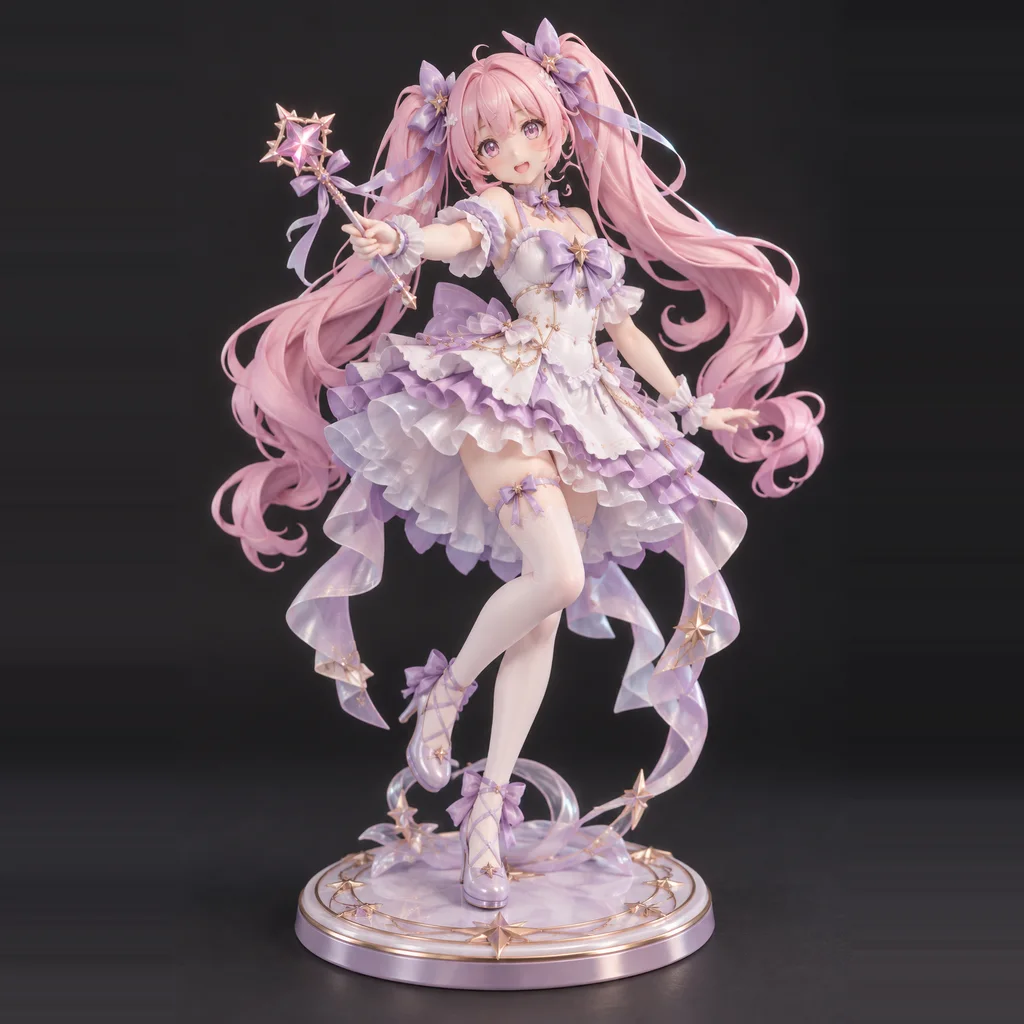
Upload an original character drawing and get a textured anime 3D model in 3 to 5 minutes, or untextured in under a minute. Print it or open it in Blender.
- Original characters
- Textured GLB · STL · 3MF
- Split into kit parts
- 3 free credits
By SupaVoxel Team·Updated
Drop in a picture, get a 3D model
3 free credits · Google sign-in · no card
What an AI anime figure generator is good for
Anime fans and artists use an anime figure generator for things a store cannot sell them: a figure of their own original character, a VTuber persona on the shelf, a gift for a friend who draws, or a quick 3D base to paint over. You bring the drawing; SupaVoxel builds a 3D anime character from it, with the colors from your art painted onto the surface.
This page is about original characters. Do not upload official art of characters you do not own; besides the copyright problem, a model of someone else's character cannot be sold or shared freely. If you have no art yet, describe your character in the image studio (Pro plan), generate an illustration, and turn that into 3D.
How to turn character art into an anime 3D model
From a drawing to a model you can print or render. The quality of the art matters more than anything after it.
- 01
Prepare a clean full-body image
One character, full body, feet visible, a slight three-quarter angle and a plain background. A character sheet with a back view is ideal: add it as an extra angle, up to 4. - 02
Generate textured or untextured
Textured (3 credits, paid plan) keeps your colors and line work as a painted texture and typically takes 3 to 5 minutes. Untextured (1 credit) is usually under a minute and is enough for a resin print you will paint. - 03
Check hair, hands and the back
Rotate the model. Thin hair strands, fingers and accessories are where AI struggles most. If the back is wrong, add a back view and generate again. - 04
Repair and split for printing
Repair makes the mesh a watertight solid. For a figure over about 120 mm, split it into kit-style parts with pins: head, hair, torso, arms and base. - 05
Export for your goal
STL for resin, a 4- or 16-color 3MF for a Bambu Lab AMS, or a textured GLB for Blender, Unity or a web viewer.
Anime 3D model examples from original characters
Every model here started as one original illustration. Click a card to rotate the real model.
Art that makes a clean 3D anime character
Anime art is drawn, not photographed, so the AI has to infer depth from line work and shading. Clear shading helps more than detail. A flat, unshaded drawing gives the AI very little to work with; a soft cel-shaded image tells it where the cheeks, chest and folds of the clothes are.
Chibi and super-deformed styles reconstruct best: big heads, compact bodies and chunky hair. Tall, slim characters with long flowing hair work too, but hair strands under a few millimeters thick at print size will need thickening in your art or after printing. Poses with arms held slightly away from the body give cleaner results than arms crossed over the chest.
- Full body, both feet visible, nothing cropped
- Soft cel shading, not flat color and not heavy painterly texture
- Hair drawn as thick, grouped locks rather than fine strands
- No text, speech bubbles or effects over the character
Figure scale and print settings
Figure kits are sold by scale. Here is how common scales translate for a character about 1.6 m tall, and how to print each.
Chibi / mini
- Height (1.6 m character)
- 60–90 mm
- Printer
- Resin or FDM
- Notes
- One piece; 0.05 mm resin or 0.12 mm FDM layers
1/10
- Height (1.6 m character)
- about 160 mm
- Printer
- Resin
- Notes
- Split off the hair or a long weapon for cleaner supports
1/8
- Height (1.6 m character)
- about 200 mm
- Printer
- Resin
- Notes
- The most common kit scale; split into parts and hollow the torso
1/7
- Height (1.6 m character)
- about 230 mm
- Printer
- Large-format resin
- Notes
- Tilted on the plate it exceeds most build heights, so split it
1/6
- Height (1.6 m character)
- about 270 mm
- Printer
- Resin in parts or FDM
- Notes
- Hollow every large part, 1.8–2 mm walls with drain holes
| Scale | Height (1.6 m character) | Printer | Notes |
|---|---|---|---|
| Chibi / mini | 60–90 mm | Resin or FDM | One piece; 0.05 mm resin or 0.12 mm FDM layers |
| 1/10 | about 160 mm | Resin | Split off the hair or a long weapon for cleaner supports |
| 1/8 | about 200 mm | Resin | The most common kit scale; split into parts and hollow the torso |
| 1/7 | about 230 mm | Large-format resin | Tilted on the plate it exceeds most build heights, so split it |
| 1/6 | about 270 mm | Resin in parts or FDM | Hollow every large part, 1.8–2 mm walls with drain holes |
Figure-kit scales: 1/8 is the predominant scale, with 1/6 and 1/7 also common. Large resin printers such as the Saturn 4 Ultra 16K build up to 220 mm tall, so anything above 1/10 usually prints in parts.
Printing an anime figure like a garage kit
Commercial resin figures are cast in parts and assembled, and the same approach works for prints. Split the model where seams will hide: at the neck under the hair, at the waist under a belt, at the shoulders under sleeves. The studio cuts along a plane and adds pins, and the free STL splitter does the same in your browser.
Print each part tilted so the face and front point away from the plate. Hollow the torso and skirt on large scales with 1.8 to 2 mm walls and at least two drain holes in places that will be glued or hidden. After curing, glue the parts, fill seams with putty, prime and paint. If you print multi-color PLA instead, keep it to chibi sizes, where the 4-color 3MF can carry hair, skin, outfit and accents without painting.
- Put drain holes and pins on faces that will be glued
- Support hair tips from more than one side
- Print the face at 0.03 mm if the rest is at 0.05 mm, as a separate plate
- A matte primer shows surface flaws before you start painting
Do and don't for an anime 3D model
Small changes in the art fix most of the problems people blame on the AI.
- Draw a back view or turnaround and add it as an extra angle
- Thicken ahoge, ribbons and hair tips in the drawing
- Generate textured if you want your exact colors in a GLB or 3MF
- Preview the textured model in the free GLB viewer on any device
- Add a display base with the free add-a-base tool
- Upload official art of characters you do not own
- Use a busy illustration with a background scene and effects
- Expect individual eyelashes or lace patterns to become geometry
- Cross the arms or hide the hands behind the back
- Print a 1/7 figure in one piece on a standard resin printer
Using the model outside of printing
The textured GLB opens in Blender, Unity, Godot and web viewers, so the same anime 3D model can become a turntable render, a game prop or a 3D view on your portfolio. Two honest limits. First, the model is static: SupaVoxel does not rig or animate. For a VTuber or VRChat avatar, you will need to retopologize and rig it yourself; see the VRChat avatar guide and animating with Mixamo. Second, the anime look lives in the texture. Line art and cel shading are painted onto the surface, which looks right in a viewer but is not a toon shader, so dynamic lighting can make it look less flat than your drawing.
Frequently asked questions
Can AI turn my drawing into an anime 3D model?
Is the anime figure generator free?
Can I make a 3D anime character of a famous series character?
How long does it take to make an anime 3D model?
What scale should I print an anime figure at?
Can I rig the model for VTubing or VRChat?
Why does the hair look melted or merged?
Can I sell figures of my own character?
Keep going
Make an anime 3D model of your character
Upload your original character art and get a textured model you can print or render, in typically 3 to 5 minutes.
No credit card required · 3 free credits to start