3D Models for Film Props, Previs and Set Dressing
Upload concept art, a storyboard frame or a photo of a prop and get a draft 3D model: untextured usually in under a minute, textured in 3 to 5 minutes. Built for previs and background assets, not finished hero shots.
- 3 free credits, no card
- GLB for Blender and Unreal
- Static props, not rigged characters
By SupaVoxel Team·Updated
Drop in a picture, get a 3D model
3 free credits · Google sign-in · no card
Where AI 3D models for film fit, and where they don't
Most objects in a shot never get a close-up. The crates behind the actor, the vehicle parked down the street and the idol on a shelf only need the right silhouette and a believable surface. That is the job this page is for: 3D models for film that you need today, for a scene that is still being designed.
A generated model is a draft. It is one closed, static mesh with a single material, built from what the AI could see in your picture plus its guess at the sides it couldn't. It works for previs, blocking, pitch decks, animatics and mid-ground or background set dressing. It also gives a modeler a base mesh with the right proportions to rebuild from.
It is not a finished hero asset. Expect to retopologize, re-texture or model by hand anything the camera gets close to, anything that deforms, and anything an actor touches. Characters come out as statues: no skeleton, no skin weights, no facial rig.
From concept art to a prop in your scene
The same five steps whether the picture comes from the art department, a storyboard or your phone.
- 01
Isolate one object
Crop the picture to a single prop, vehicle or set piece, fully in frame, ideally in a three-quarter view. Remove Background is on by default in the studio, so a busy painting behind it is fine. Drawing it yourself? Sketch to 3D takes line art. - 02
Generate a draft
Upload it here or in the studio. Geometry only costs 1 credit and is usually ready in under a minute, which is enough for blocking. Textured costs 3 credits on a paid plan and typically takes 3 to 5 minutes. If the design has a turnaround, add up to 4 extra angles. - 03
Download the GLB
GLB is the free download. It holds the mesh, UVs and PBR textures in one file. OBJ, STL, USDZ and 3MF are paid exports. The studio does not export FBX; the conversion is one step later. - 04
Import and set the scale
In Blender, useFile ‣ Import ‣ glTF 2.0. In Unreal Engine, drag the GLB into the Content Browser. The model's size is arbitrary, so scale it against a human-height reference before anyone frames a shot around it. - 05
Dress the scene
Duplicate, rotate and scatter. A dozen quick variations of crates, lamps or wrecks fill a set faster than one perfect model, and nobody will notice the draft topology behind the action.
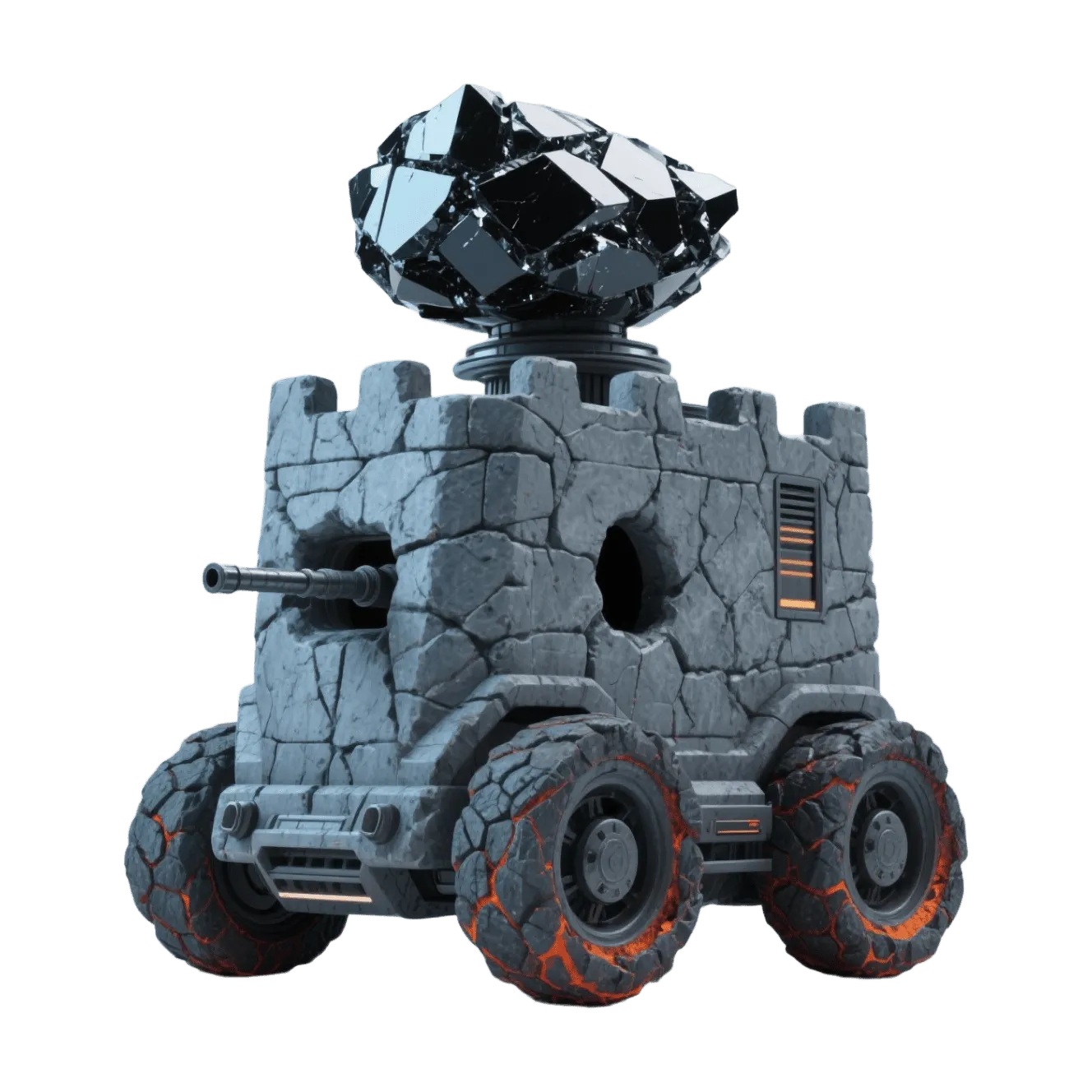
Movie props 3D models made from one image
Each of these started as a single picture. Rotate them and judge the backs and undersides, since that is where a draft shows.
Film jobs: good fit or wrong tool?
Sorted by how close the camera gets.
Previs and blocking
- Fit
- Good
- Notes
- Untextured drafts are enough to plan framing and camera moves
Pitch decks and animatics
- Fit
- Good
- Notes
- Show the actual designs instead of gray boxes
Background and mid-ground set dressing
- Fit
- Good
- Notes
- Check the silhouette from the shot camera before you commit
Base mesh for a modeler
- Fit
- Good
- Notes
- Right proportions to retopologize and detail by hand
Printed props and maquettes
- Fit
- Good
- Notes
- Needs a paid STL or 3MF export, or a converted GLB
Hero prop in a close-up
- Fit
- Wrong tool
- Notes
- Use it as reference and model the final asset properly
Animated characters and creatures
- Fit
- Wrong tool
- Notes
- Static mesh only: no rig and no deformation-ready topology
A whole set from one painting
- Fit
- Wrong tool
- Notes
- One object per generation; build the set from separate pieces
| Job | Fit | Notes |
|---|---|---|
| Previs and blocking | Good | Untextured drafts are enough to plan framing and camera moves |
| Pitch decks and animatics | Good | Show the actual designs instead of gray boxes |
| Background and mid-ground set dressing | Good | Check the silhouette from the shot camera before you commit |
| Base mesh for a modeler | Good | Right proportions to retopologize and detail by hand |
| Printed props and maquettes | Good | Needs a paid STL or 3MF export, or a converted GLB |
| Hero prop in a close-up | Wrong tool | Use it as reference and model the final asset properly |
| Animated characters and creatures | Wrong tool | Static mesh only: no rig and no deformation-ready topology |
| A whole set from one painting | Wrong tool | One object per generation; build the set from separate pieces |
3D previs: block a scene with draft assets
Previs answers questions about framing, timing and scale, so the assets only have to be recognizable. Generate untextured drafts of the pieces that define the scene, import them into Blender or Unreal, and place cameras the same day the concept art is approved. When a design changes, generate the new version and swap it in.
- Generate geometry only (1 credit) for anything that stays gray in previs
- Scale every asset against a 1.8 m stand-in figure before you place cameras
- A default cube in Unreal is 100 units (1 m) on a side, a handy yardstick
- Reduce dense meshes with the free mesh simplifier so a full scene still plays back smoothly
- Import details for real-time scenes are on the Unreal Engine page
Film props 3D model: what you get
- Input
- One PNG, JPG, WebP or HEIC image up to 10 MB, plus up to 4 extra angles
- Output
- One closed, triangulated, static mesh with UVs
- Textures
- A single PBR material on textured models (3 credits, paid plans)
- Free download
- GLB of an untextured model (1 credit)
- Paid exports
- Textured models, OBJ, STL, USDZ, multi-color 3MF
- FBX
- Not exported by the studio; convert with the free GLB to FBX converter
- Scale
- Arbitrary; set real dimensions in your 3D software
- Not included
- Rigging, animation, quad retopology, separate parts, UDIMs
Getting 3D models for film into your pipeline
A GLB opens directly in the two tools most small productions already use. Everything else is one conversion away.
Blender
Unreal Engine
FBX-based tools
Lighter scenes
Physical props
Characters
Better drafts from concept art
- Crop to one object with its whole outline visible
- Prefer a three-quarter view over a flat front elevation
- Use clean, evenly lit art; heavy atmosphere hides the shape
- Add side and back views when the design has them
- Check the model from the shot camera, not only up close
- Upload a full environment painting and expect separate props
- Expect readable text, logos or fine engraving to survive
- Start with glass, smoke, fire, cloth in motion or thin cables
- Plan to animate a generated character without retopology and rigging
- Put an untouched draft in a close-up
Rights, credits and who does what
Paid plans include a commercial license for the models you generate. That license covers the output; it does not give you rights to the picture you upload. Use concept art your production owns or has licensed, and treat a model made from someone else's design as reference only.
For game cinematics and trailers the same drafts can go on to become runtime assets. Polygon budgets and engine import steps for that path are on the game assets page.
Frequently asked questions
Can AI make 3D models for film?
Is it free to try?
Which file format should I use for Blender and Unreal?
Are the models good enough for a final shot?
Can I generate a rigged or animated character?
Can I turn a storyboard frame into a 3D set?
Can I 3D print a prop from the model?
Can I use the models in a commercial production?
Keep going
Draft 3D models for film from your next concept
Upload one picture of a prop, get a model to block with, and replace only what the camera gets close to. 3 free credits, no card.
No credit card required · 3 free credits to start