Low Poly Generator: Picture to Faceted 3D Model
This low poly generator turns one image into a 3D model in under a minute. Then pick the triangle count, from a 300-face pickup to a 10,000-triangle hero prop.
- Any triangle budget
- Free browser simplifier
- GLB for Blender, Unity, Godot
- 3 free credits
By SupaVoxel Team·Updated
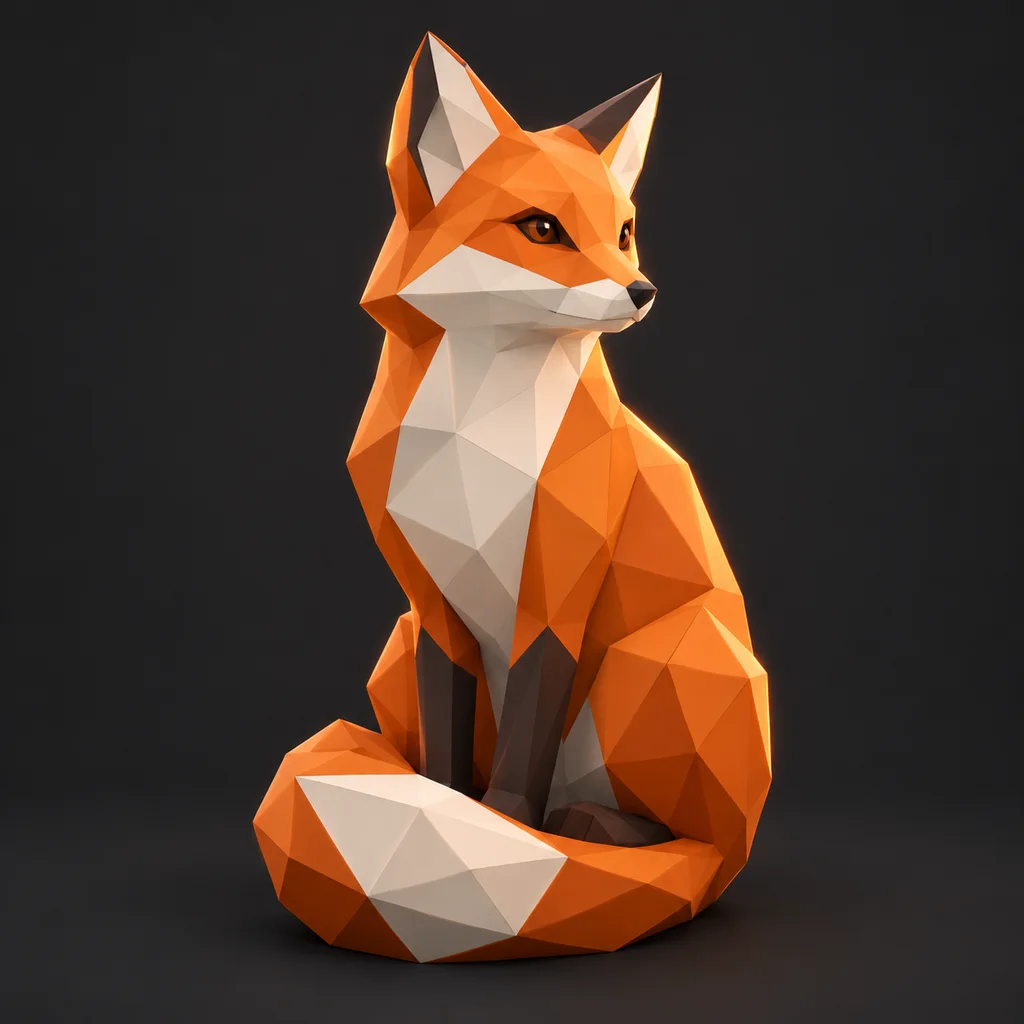
Drop in a picture, get a 3D model
3 free credits · Google sign-in · no card
Who needs a low poly generator
Low poly is two things at once. For game developers and VR creators it is a budget: fewer triangles means more objects on screen, faster loading and smooth frame rates on phones and headsets. For artists it is a style: big flat facets, solid colors and crisp silhouettes, the look of many indie and mobile games.
This low poly generator workflow is for both. If you need assets that fit a mobile game, a Roblox experience or a VRChat world, you care about the triangle count. If you want a stylized low poly 3D model for a render, a diorama or a print, you care about the facets. The workflow is the same: generate a model from a picture, then reduce it deliberately.
What SupaVoxel is not: a retopology tool. Decimation removes triangles while keeping the outline; it does not rebuild clean quad loops for deformation. For static props, that is exactly what you want. For characters you plan to rig, plan a retopology pass in Blender.
How to make a low poly 3D model from a picture
Four steps. In this low poly generator pipeline the generation is automatic; the reduction is where you set the style.
- 01
Start from a simple picture
Bold shapes, flat colors, a clear silhouette and a single object. A picture already drawn in a low poly style gives the cleanest facets after reduction. - 02
Generate the model
Upload it: an untextured model is usually ready in under a minute, a textured one in 3 to 5 minutes. Geometry only costs 1 credit; a textured model costs 3 credits on a paid plan. Download the GLB. - 03
Decimate to your budget
Use our free mesh simplifier in the browser for untextured meshes, or Blender's Decimate modifier when you need the texture to survive. Pick a target triangle count, not a percentage. - 04
Flat shade and export
In Blender choose Object > Shade Flat to get hard facets, check the silhouette from several angles, then export GLB or FBX for your engine.
Low poly examples made from a single image
Each model came from one picture. Click a card to rotate the generated model, then imagine it at your triangle budget.
How many triangles is low poly?
There is no fixed number. These are practical budgets tied to real platform limits.
Pickups, coins, small props
- Triangle budget
- 100 to 1,000
- Why
- Seen small, used in large numbers
Furniture and scene props
- Triangle budget
- 1,000 to 5,000
- Why
- Reads well at mid distance
Hero props, vehicles, pets
- Triangle budget
- 5,000 to 15,000
- Why
- Close-up objects with detail
Roblox mesh
- Triangle budget
- Under 20,000
- Why
- Roblox's per-mesh import limit
VRChat avatar on Quest, Good rank
- Triangle budget
- Under 10,000
- Why
- VRChat's mobile performance rank
VRChat avatar on PC, Excellent rank
- Triangle budget
- Under 32,000
- Why
- VRChat's PC performance rank
| Asset | Triangle budget | Why |
|---|---|---|
| Pickups, coins, small props | 100 to 1,000 | Seen small, used in large numbers |
| Furniture and scene props | 1,000 to 5,000 | Reads well at mid distance |
| Hero props, vehicles, pets | 5,000 to 15,000 | Close-up objects with detail |
| Roblox mesh | Under 20,000 | Roblox's per-mesh import limit |
| VRChat avatar on Quest, Good rank | Under 10,000 | VRChat's mobile performance rank |
| VRChat avatar on PC, Excellent rank | Under 32,000 | VRChat's PC performance rank |
Platform figures as of October 2026.
Turning a dense AI mesh into a low poly 3D model
AI generators output dense geometry. The showcase models on our homepage measure about 500,000 triangles with 2048 × 2048 textures, which is ideal for printing and close renders and far too heavy for a game. The fix is decimation.
Blender's Decimate modifier has three modes. Collapse merges vertices progressively and takes a ratio: 0.01 turns 500,000 triangles into about 5,000. Planar dissolves faces that lie at nearly the same angle, which gives big flat facets on hard-surface objects. Un-Subdivide is meant for grid-like meshes and rarely helps on AI output. Collapse plus Shade Flat is the fastest path to the low poly look.
- Collapse: set a ratio, keeps the UV map
- Planar: big flat facets on boxy objects
- Shade Flat: hard edges between facets
- Turn on Symmetry for animals and characters
Getting the art style from a low poly generator, not just a low count
A mesh with few triangles is not automatically good-looking low poly. The style comes from three choices. First, solid colors: one color per facet group instead of a photographic texture. Second, hard edges, from flat shading. Third, a strong silhouette: the outline should read even with no texture at all.
The easiest way to get all three is to start from a picture that already looks like that, with flat colors and simple forms. If you generate the picture first, describe it as low poly, flat colors, faceted and simple shapes. A cubic, Minecraft-like look is a different style; for that, try our free voxelizer.
- Flat colors in the source picture
- Shade Flat in Blender, or flat normals in your engine
- Check the silhouette in solid gray
- Fewer, larger facets read better than many tiny ones
Low poly generator tips
- Decide the triangle budget before you decimate
- Decimate a copy and keep the high-poly original
- Use Symmetry on anything that should be mirrored
- Bake or paint flat colors for the cleanest style
- Print low poly models too: big facets slice beautifully
- Ship the raw 500,000-triangle mesh to a game
- Expect quad topology for rigging from decimation
- Reduce below the point where the silhouette breaks
- Use a photo with a cluttered background as the input
- Mix smooth and flat shading on the same asset by accident
Low poly 3D model generator: costs and honest limits
SupaVoxel does not have a low poly mode that outputs a native low-triangle mesh. You get a dense, detailed model and reduce it yourself, which also means you choose exactly where it lands. There is no rigging or animation; see our Mixamo guide if you need a moving character.
New accounts get 3 free credits and a free GLB download of untextured models. Textured models and STL, OBJ or 3MF exports come with paid plans, from $25 a year for 400 credits. The browser tools, including the mesh simplifier and the GLB compressor, are free with no account. For engine-specific setup, see the game asset generator and Roblox pages.
Where low poly models go next
Frequently asked questions
Is the low poly generator free?
How many polygons is a low poly model?
Does SupaVoxel output low poly models directly?
Why does my low poly model look smooth and blotchy?
Can a low poly 3D model generator make characters?
What file format should I use?
Can I 3D print low poly models?
How long does it take?
Sources
- 1.GLB poly reducer — glbpolyreducer.pro
“Polygon reduction, also called decimation, removes triangles a mesh does not visually need.”
Keep going
Make your first low poly model
Start with one picture, get a 3D model in minutes, and reduce it to the exact triangle count your project needs.
No credit card required · 3 free credits to start