TRELLIS 2: Microsoft's Open 3D Model, Explained
TRELLIS 2 is Microsoft's open-source image-to-3D model, and self-hosting it needs a 24 GB GPU. No GPU? Try SupaVoxel's generator instead: a textured model in typically 3 to 5 minutes.
- Model: open source, MIT
- SupaVoxel: no GPU needed
- 3 free credits, no card
By SupaVoxel Team·Updated
Drop in a picture, get a 3D model
3 free credits · Google sign-in · no card
What is TRELLIS 2?
TRELLIS 2 is a 3D generative model from Microsoft Research that turns a single image into a fully textured 3D asset. Its weights, inference code and training code are public on GitHub and Hugging Face under the MIT license, which makes it one of the most capable 3D models you can run, modify and ship without a usage fee.
The first TRELLIS appeared in December 2024, built on structured 3D latents. It accepted text or images and could output Gaussian splats, radiance fields or meshes. Its successor followed on December 16, 2025, with native and more compact structured latents, and narrows the focus to one job: high-fidelity image to 3D, with full PBR materials. A texturing pipeline for existing shapes was added on December 23, 2025 and the training code on January 10, 2026.
The headline change is a representation Microsoft calls O-Voxel, a "field-free" sparse voxel structure. Older 3D models describe a shape as a smooth field and then extract a surface from it, which forces everything to be one closed skin. O-Voxel stores the surface directly, so the model can produce open surfaces, internal structures and sharp edges that field-based models smooth away.
TRELLIS 2 specs
The TRELLIS.2-4B release as of October 2026.
- Maker
- Microsoft Research (Jianfeng Xiang, Jiaolong Yang and co-authors)
- Released
- December 16, 2025
- Model
- TRELLIS.2-4B, a 4-billion-parameter flow-matching transformer
- Input
- One image; also a texturing mode that paints an existing mesh
- Output
- Textured mesh, exported as GLB
- Resolution
- 512³ to 1536³ voxels
- Materials
- Base color, roughness, metallic and opacity
- Speed on one H100
- About 3 s at 512³, 17 s at 1024³, 60 s at 1536³
- Self-hosting
- Linux, NVIDIA GPU with 24 GB or more, CUDA 12.4 recommended
- License
- MIT for code and weights (some rendering dependencies have their own terms)
What TRELLIS 2 does better than most 3D models
These strengths come straight from the O-Voxel design, and they show up in real results.
Open and thin surfaces
Complex topology
Real PBR materials
Transparency data
Sharp hard edges
Fully open
TRELLIS 2 limitations to plan for
A few limits to know before you rely on it. All of them are easy to work around once you know them.
- Run prints through a repair pass: raw meshes can have small holes
- Try a second picture if the style drifts; the base model is not tuned for taste
- Use a clear, well-lit three-quarter view of one object
- Decimate dense meshes before using them in a game engine
- Expect text-to-3D: it takes images only
- Send straight-front shots and expect a correct back
- Assume transparency works on import; it needs one material tweak
- Try to self-host on an 8 GB or 16 GB consumer card
How to use TRELLIS 2, or skip the GPU
TRELLIS 2 is meant to be self-hosted. You clone Microsoft's repository, download the TRELLIS.2-4B weights from Hugging Face, and run it on Linux with an NVIDIA GPU of 24 GB or more. That is the right route if you need Microsoft's output specifically, for research, fine-tuning or a reproducible pipeline, and the MIT license lets you ship the results without a usage fee.
If you just want a good model from a picture and don't have that hardware, SupaVoxel's own image-to-3D generator is a separate alternative that runs online. Upload one image, get a textured model in typically 3 to 5 minutes, and start with 3 free credits. Failed generations refund their credits, so a retry never costs you twice.
After generation you get a 3D viewer in the browser, a free GLB download, and on paid plans STL, OBJ, USDZ and multi-color 3MF exports with one-click repair to a watertight solid. Repair matters for any thin, open surface, because it has to be closed before a slicer will accept it. A raw self-hosted mesh can go through the free STL repair tool too, and the GLB compressor shrinks a heavy GLB.
TRELLIS 2 examples
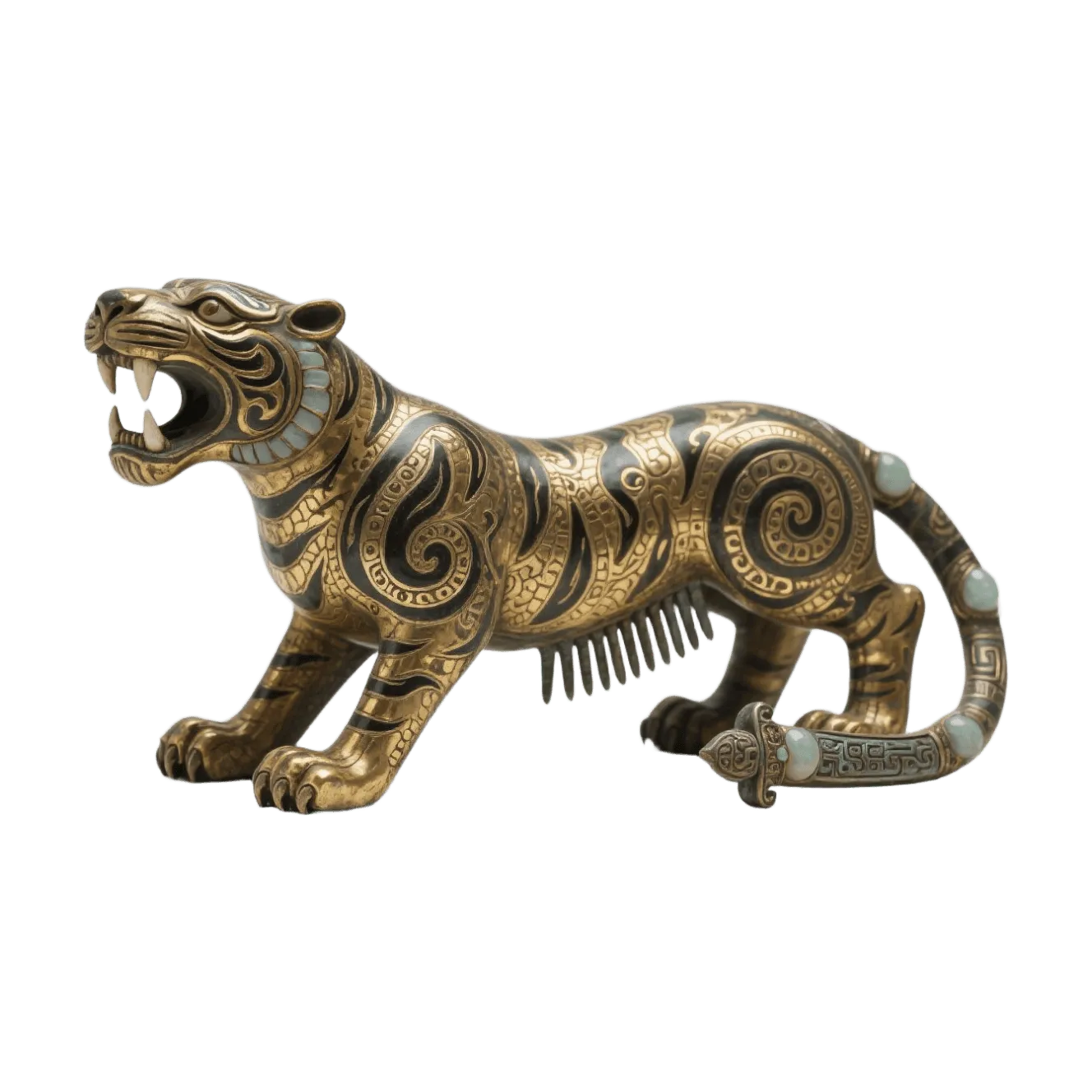
The first four models are TRELLIS 2 results, each from one picture. Thin parts, openings and mixed materials are where it shines. The last two come from SupaVoxel's gallery, made with SupaVoxel's own generator, for comparison.
TRELLIS 2 vs Hunyuan3D, Tripo and Meshy
How Microsoft's model sits next to three other well-known image-to-3D models.
Made by
- TRELLIS 2
- Microsoft
- Hunyuan3D 3.1
- Tencent
- Tripo
- VAST (Tripo AI)
- Meshy
- Meshy
Open weights
- TRELLIS 2
- Yes, MIT
- Hunyuan3D 3.1
- 2.x only, community license
- Tripo
- Older research models
- Meshy
- No
Input
- TRELLIS 2
- Image
- Hunyuan3D 3.1
- Image, multi-view, text
- Tripo
- Image, multi-view, text
- Meshy
- Image, multi-view, text
Best at
- TRELLIS 2
- Thin, open and complex shapes
- Hunyuan3D 3.1
- Faithful detail, figurines
- Tripo
- Clean game-ready meshes
- Meshy
- Print-ready, all-round
Self-host
- TRELLIS 2
- Yes, 24 GB GPU
- Hunyuan3D 3.1
- 2.1 only
- Tripo
- No (current models)
- Meshy
- No
| TRELLIS 2 | Hunyuan3D 3.1 | Tripo | Meshy | |
|---|---|---|---|---|
| Made by | Microsoft | Tencent | VAST (Tripo AI) | Meshy |
| Open weights | Yes, MIT | 2.x only, community license | Older research models | No |
| Input | Image | Image, multi-view, text | Image, multi-view, text | Image, multi-view, text |
| Best at | Thin, open and complex shapes | Faithful detail, figurines | Clean game-ready meshes | Print-ready, all-round |
| Self-host | Yes, 24 GB GPU | 2.1 only | No (current models) | No |
Go deeper: Hunyuan3D, Tripo AI, Meshy AI, or the full head-to-head with Hunyuan3D.
Where to take your model next
Free tools and guides for any generated model, self-hosted or not.
Frequently asked questions
What is TRELLIS 2?
Is Microsoft TRELLIS 2 free?
Can TRELLIS 2 do text to 3D?
What GPU do I need to self-host Microsoft's model?
Is there a TRELLIS 2 alternative that runs online?
Are TRELLIS models good for 3D printing?
How is TRELLIS 2 different from the first TRELLIS?
TRELLIS 2 or Hunyuan3D: which should I use?
Keep going
No 24 GB GPU? Try SupaVoxel's generator
Upload one picture to SupaVoxel's image-to-3D generator and get a textured 3D model in typically 3 to 5 minutes. Start with 3 free credits.
No credit card required · 3 free credits to start