Interior Design 3D Model from One Furniture Photo
Upload a photo of a chair, sofa, lamp or table and get a textured interior design 3D model in 3 to 5 minutes, for room renders, true-size AR or miniature prints.
- 3 free credits, no card
- GLB, USDZ, OBJ
- One piece per photo
By SupaVoxel Team·Updated
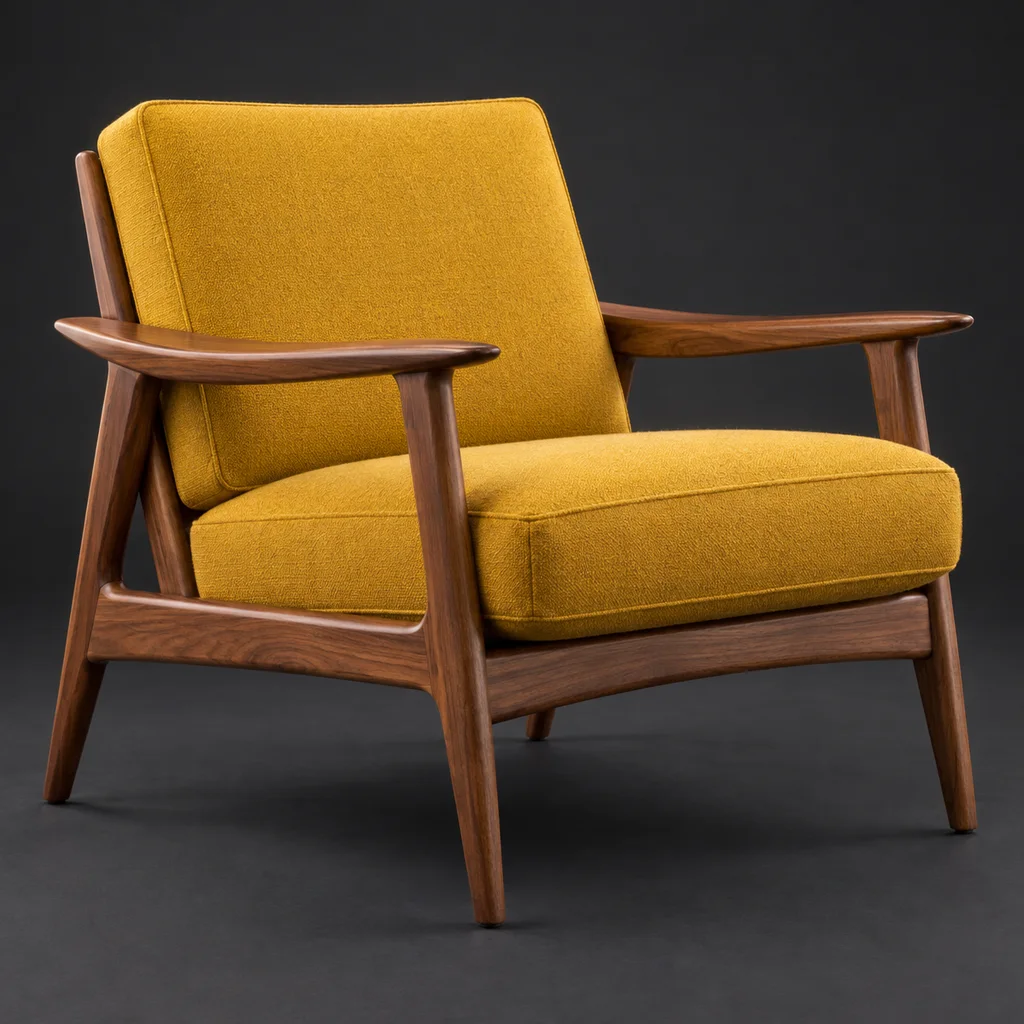
Drop in a picture, get a 3D model
3 free credits · Google sign-in · no card
From a furniture photo to an interior design 3D model
The path most designers, stagers and furniture sellers use. The only manual step that really matters is setting the real size.
- 01
Pick the photo
A clean product shot of one piece, three-quarter angle, on a plain background. Manufacturer cut-outs are ideal. Remove Background is on by default in the studio, so a simple room behind it is fine too. - 02
Generate textured
Upload it here or in the studio. For furniture, the texture is half the point – upholstery color, wood grain, metal finish – so use the textured mode (3 credits, paid plan). Add up to 4 extra angles if you have them. - 03
Set the real dimensions
The AI doesn't know the piece is 210 cm wide. Open the GLB in Blender, type width, depth and height from the product listing into the N panel's Dimensions (in meters), then apply scale. - 04
Export for where it goes
GLB for Blender, Twinmotion, web viewers and Android AR. USDZ for iPhone and iPad AR Quick Look. OBJ for other design software. STL or 3MF for printing a miniature. - 05
Stage the room
Place it in your render with the real walls and floor you modeled, or send a link so the client can drop it into their own living room in AR.
Furniture 3D model examples from one photo
Typical pieces interior designers stage. Rotate each to check how upholstery, wood and metal came through.
Where an interior design 3D model from AI fits
Honest about what works and what doesn't.
Mood boards and concept renders
- Fit
- Good
- Notes
- Show a client the actual chair they liked, not a stand-in
Virtual staging of a listing
- Fit
- Good
- Notes
- Static pieces with believable materials
"View in your room" AR on a product page
- Fit
- Good
- Notes
- Set true dimensions first, then lock scale
Dollhouse and diorama furniture
- Fit
- Good
- Notes
- Print at 1:12 or your diorama scale
Hero piece in a close-up still
- Fit
- Okay
- Notes
- Check fabric and joinery up close; model it by hand if it must be perfect
Manufacturing or CNC drawings
- Fit
- Wrong tool
- Notes
- Proportions are close, not measured; no joinery or parts
A whole room from one photo
- Fit
- Wrong tool
- Notes
- One object per generation – split the room into pieces
| Job | Fit | Notes |
|---|---|---|
| Mood boards and concept renders | Good | Show a client the actual chair they liked, not a stand-in |
| Virtual staging of a listing | Good | Static pieces with believable materials |
| "View in your room" AR on a product page | Good | Set true dimensions first, then lock scale |
| Dollhouse and diorama furniture | Good | Print at 1:12 or your diorama scale |
| Hero piece in a close-up still | Okay | Check fabric and joinery up close; model it by hand if it must be perfect |
| Manufacturing or CNC drawings | Wrong tool | Proportions are close, not measured; no joinery or parts |
| A whole room from one photo | Wrong tool | One object per generation – split the room into pieces |
Furniture 3D model in AR at true size
The most convincing thing you can show a client is their sofa in their own room at its real size. Both phone platforms can do it, but only if the model is the right size in the file and the viewer isn't allowed to rescale it. After you set dimensions in meters, lock the scale for each viewer.
- Android Scene Viewer: add
resizable=falseto the intent link <model-viewer>: setar-scale="fixed"to keep it at 100%- iPhone AR Quick Look: Apple's own sample links add
#allowsContentScaling=0to the USDZ URL - Convert a GLB yourself with the free GLB to USDZ converter
- Full embed code is on the AR models page
3D furniture generator: what you get
- Input
- One PNG, JPG, WebP or HEIC photo up to 10 MB, plus up to 4 extra angles
- Output
- One textured, triangulated mesh with a single PBR material
- Scale
- Arbitrary – set real dimensions yourself in Blender or your design tool
- Free download
- GLB of an untextured model (1 credit)
- Paid exports
- Textured models, OBJ, USDZ, STL, multi-color 3MF
- Hard cases
- Glass, mirrors, thin wire frames, woven rattan or cane, sheer fabric
- Not included
- Exact dimensions, separate parts or joinery, animation, CAD formats
Using the interior design 3D model in your tools
A GLB moves into most design workflows with one import.
Blender
Twinmotion and Unreal
AR for clients
Other design software
Miniatures
Lighter files
Better furniture models from your photos
- Use the manufacturer's product shot when you have it
- Shoot at seat height from a front corner
- Use soft, even light so fabric color stays true
- Note the listed W × D × H before you scale
- Generate cushions and throws as part of the piece, not separately
- Upload a whole styled room and expect separate pieces
- Use glass tables or mirrors as your first test
- Expect thin hairpin legs or woven cane to survive perfectly
- Trust the model's size without setting dimensions
- Use it as a manufacturing drawing
Honest limits for interior work
AI reconstruction gets the look of a piece right far more often than its exact geometry. Arm heights, leg spacing and seat depth come out close to the photo, not to the spec sheet, which is why you set the overall dimensions yourself. Fine detail suffers in predictable places: woven rattan turns into a textured surface, glass becomes an opaque or tinted shell, and thin metal legs can come out thicker than they should.
Each generation makes one closed object. A sofa with its cushions works; a whole living room doesn't. Generate each piece from its own photo and assemble the room in your render tool.
For building exteriors and massing models, see 3D architecture models. For lighting fixtures and decor you want to print in color, see multi-color 3D printing.
Frequently asked questions
Can I make an interior design 3D model from a photo?
Is the 3D furniture generator free?
Is the furniture 3D model the correct size?
How do I show a client a sofa in their room?
Can I generate a whole room at once?
Can I use furniture models from product photos commercially?
Which furniture is hardest for AI to reconstruct?
Can I 3D print dollhouse furniture from a photo?
Keep going
Make an interior design 3D model from your next photo
Upload a furniture photo, set its real size and place it in a render or in AR. 3 free credits, no card.
No credit card required · 3 free credits to start